
As a replacement for the old and deprecated Process Dialogs, Canvas Apps in combination with a Power Automate Flow can be used to achieve a similar functionality.
But I don’t like the default approach to put the Canvas Apps on the entity form. For this I created an easy to use implementation to show a Canvas App or html-webresource in a dialog from a model driven app.
Open an entity and click on PowerDialogs from the form ribbon menu
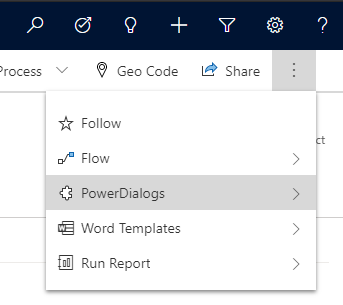
and choose the appropriate PowerDialog
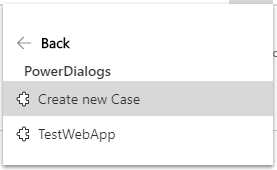
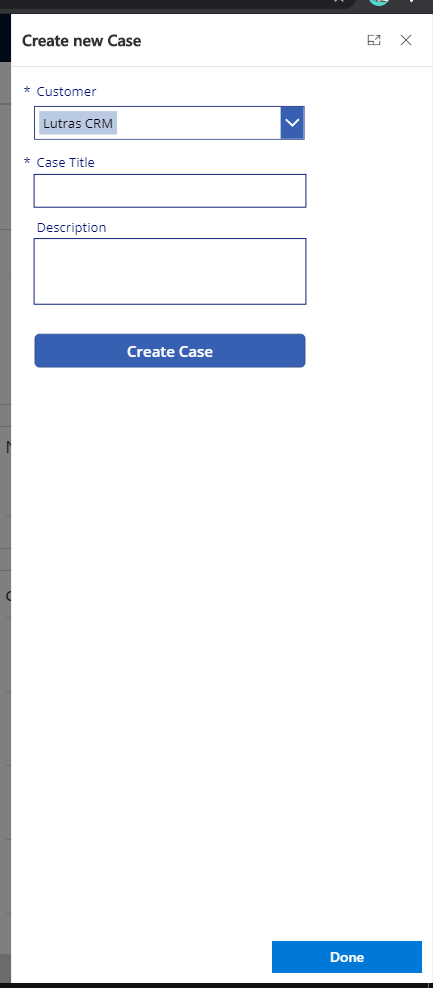
The PowerDialog will open now
CanvasApp as PowerDialog
Html-webresource as PowerDialog

Admin: Create CanvasApp and/or html-webresources
Available parameters in CanvasApp:
entityId, entityType, lcid, dialogId, dialogTitle, crmUrl, crmAppId
Param("entityId")
Available parameters in html-webresource:
entityId, entityType, lcid, dialogId, dialogTitle
function getParams(): any {
  let queryString = location.search.substring(1);
  let params: any = { };
  queryString = decodeURIComponent(queryString.substring(5));
  let queryStringParts = queryString.split("&");
  for (let i = 0; i < queryStringParts.length; i++) {
    let pieces = queryStringParts[i].split("=");
    params[pieces[0]] = decodeURIComponent(pieces[1]);
  }
  return params;
}

var params = getParams();
var entityId = params.entityId;
Notes:
- Note your available licenses for PowerApps! If you’re using the PowerApps-per-app-Plan then you should create your PowerDialogs in a Html-webresource.
- From the CanvasApp there is no possibility to communicate with the parent Model-driven-form.
- When creating a html-webresource you can use parent.Xrm and parent.formContext and it’s recommended to implement Fluent UI for better look & feel and user experience.
Admin: Manage the available PowerDialogs for the users
